Company:
Personal Project
Year:
2 weeks
Issue:
Multilingual families with small children have book in multiple languages. Sometimes, parents can’t read all book due to language limitations.
Challenge:
To build a functioning multilingual digital library tablet application, where users can read books in the language of their preference.
Outcome:
An AI-powered multilingual digital children’s library app. It lets users browse picture books in 30+ languages, switch between languages, and choose between regular read-through and bilingual display mode. The app also supports text-to-speech and the ability to record your own narration—making it interactive and useful for language learning.
Project Overview
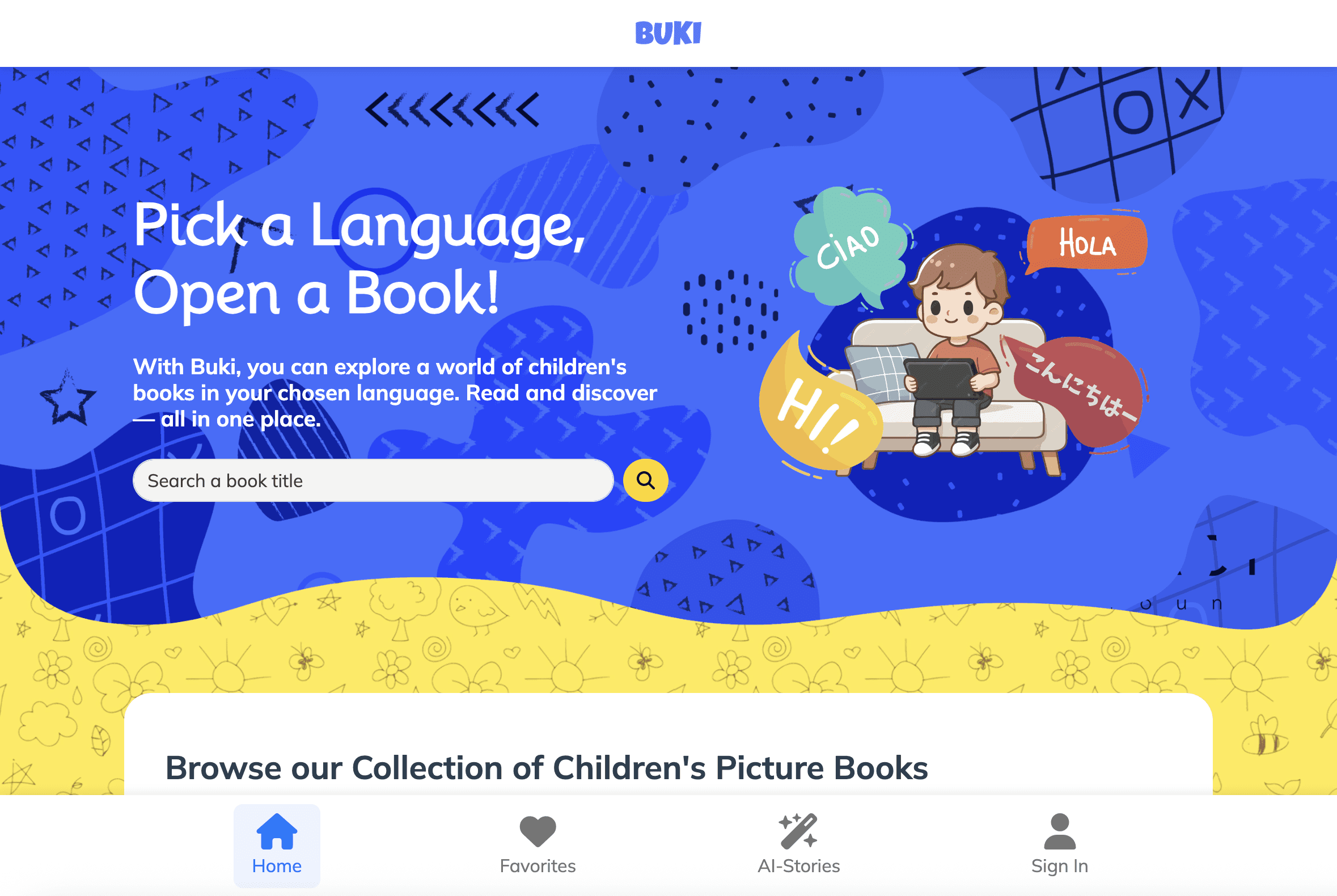
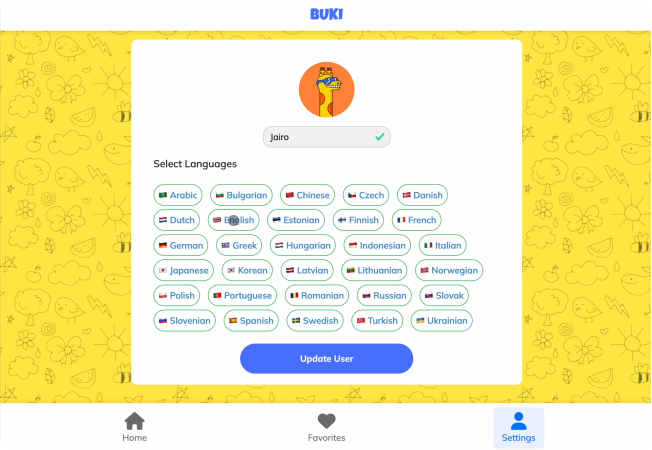
Buki is an AI-powered digital library designed for children, offering a diverse collection of picture books available in over 30 languages. Begin by selecting the languages you'd like to read in, then explore the curated gallery to find a book that interests you.

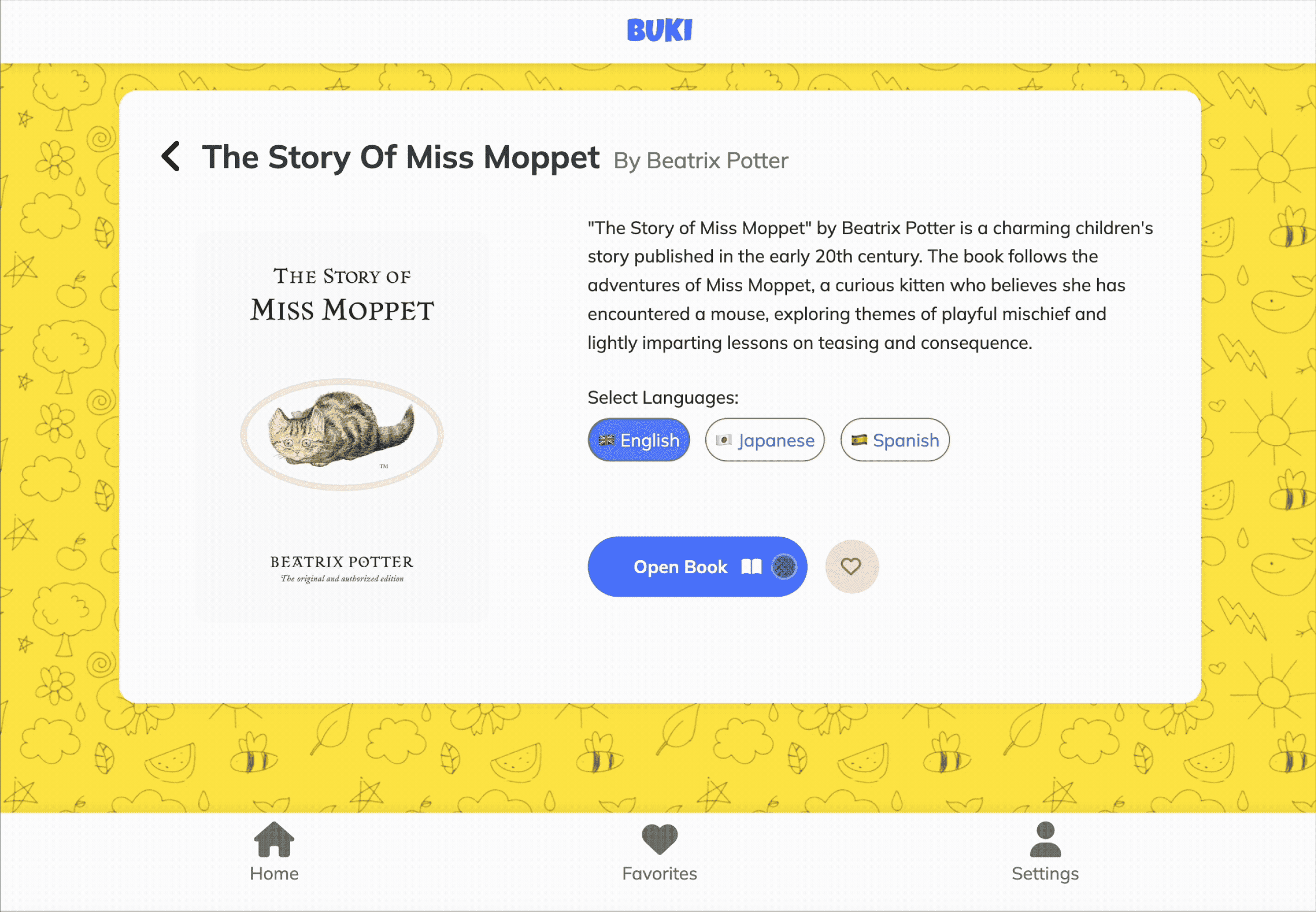
Once you have chosen a book, you can read it in a single language or enable bilingual mode to display two languages side by side. Additionally, Buki offers both text-to-speech functionality for read-aloud experiences and the option to record your own narration, making story time interactive, multilingual, and engaging.

Goals & Challenges
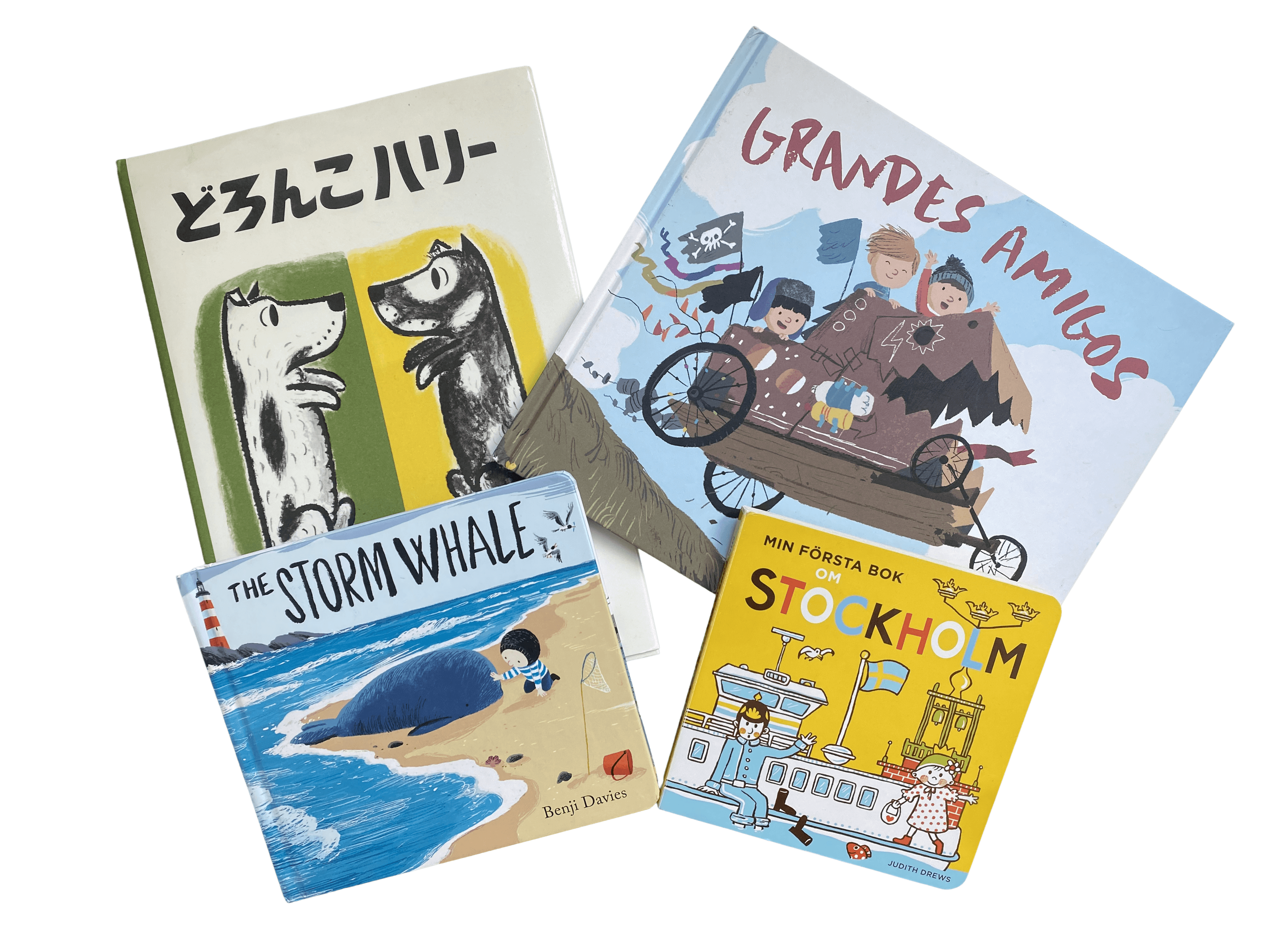
Buki was inspired by a personal moment: when my two-year-old daughter brought me her favorite book, and I couldn’t read it aloud because it was in Japanese. In our trilingual home, where we speak English, Japanese, and Spanish, she’s learning all three languages at once.
What if I created a tablet-based application that could instantly translate any picture book? It would make shared reading accessible regardless of language. I had already begun exploring the idea before starting the Le Wagon bootcamp, so developing Buki as part of my learning journey made the experience especially meaningful and rewarding.
Target Audience
We decided to make a few iterations in the home page in order to make it easier to use and understand. In the top it shows the delivery address set by the user followed by the city it’s available and the delivery time.
The scrolling content of the page is followed by categories that are set up manually according to the season instead of the fixed categories. for Example. during the summer it shows categories such as “summer with kids” that would include products such as baby food, toys sweets and children books. Other categories are Fridays dinner, last-minute presents and brunch.

Ideation & Design Process
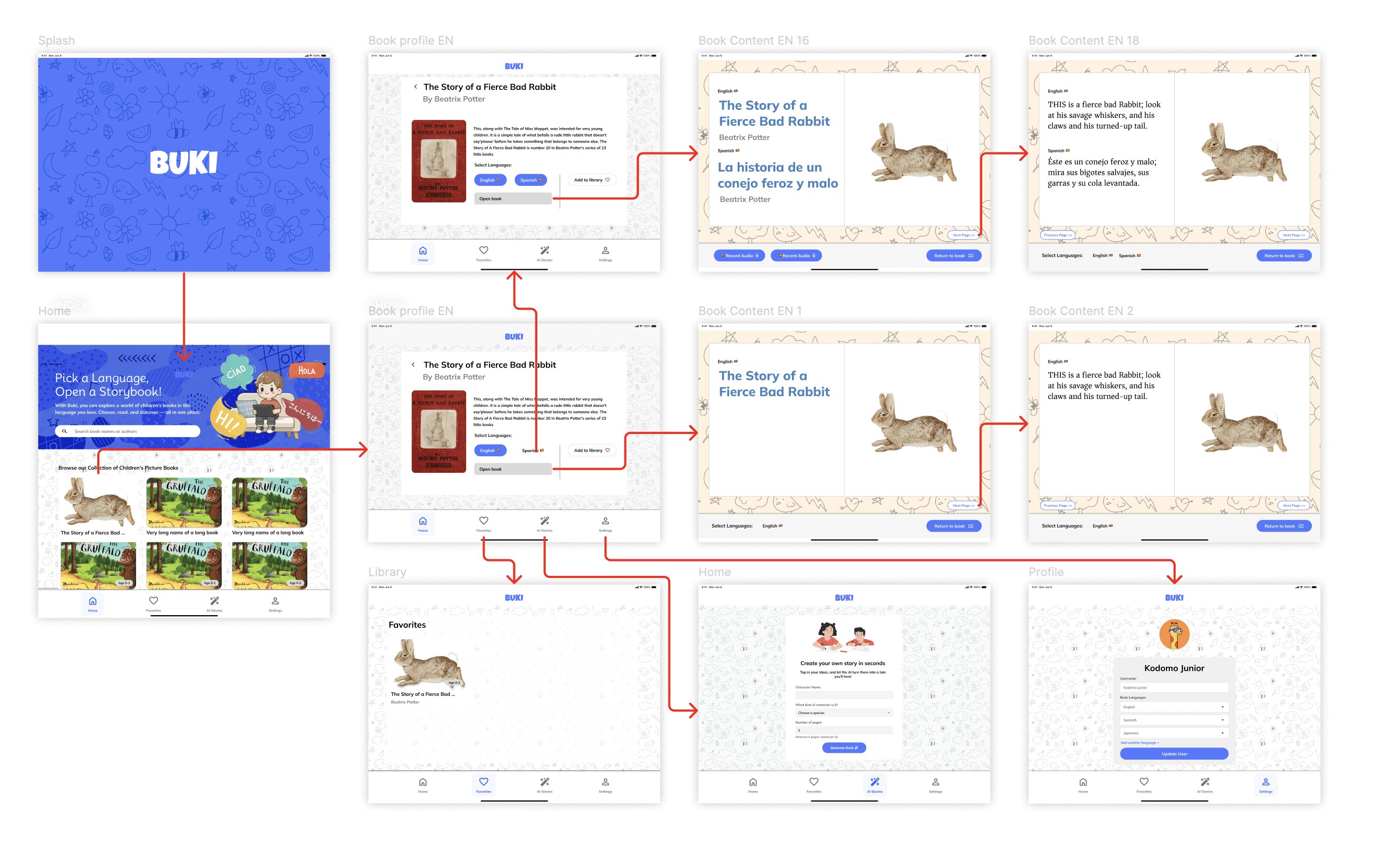
During the ideation process, I used Figma to create a first approach to Buki. Once we started working on the app as a team, there were some iterations. Based on our recently acquired knowledge, we knew the possibilities and the limitations of working on Ruby on rails. For example, we decided to add a new feature where users could create their own short children friendly stories why AI, By simply adding a name and an animal. But after pushing it for days, and hardcoding the prompts to work just enough for the Demo day, I decided to scrap it as it wasn't adding any value to the overall experience.
Development & Implementation
During the development and implementation stage, we designed the application following the MVC architecture provided by Ruby on Rails. After defining user stories, we set up the database schema with Active Record and built RESTful routes. We integrated various gems such as Cloudinary for image hosting, Bootstrap for responsive design components, and Font Awesome for icons.
The book content was dynamically loaded from a Google Sheets CSV URL, allowing for easy updates and external data management. We collaborated on GitHub and implemented several APIs to enhance functionality: Voice Box for voice recording, Eleven Labs for AI-generated speech synthesis, and OpenAI’s API to provide real-time translation of books. The app was deployed to Heroku.
My Role & Team
In my team of 4, I did most of the front-end. As I had previously designed the app on Figma, it was only normal for me to jump into HTML and CSS and create the components and pages of the app. My team partners collaborated setting up the backend (things like Rails logic, AI API’s, AI features, seeds and stuff)
Building a functioning app in just two weeks was challenging, adding the fact that a couple of months ago we close to zero knowledge on Ruby in rails, API’s implementation, Javascript, HTML or CSS. Fortunately, I had previously done the wireframe and prototype in Figma, which came in handy for a quick start and a map as we built.